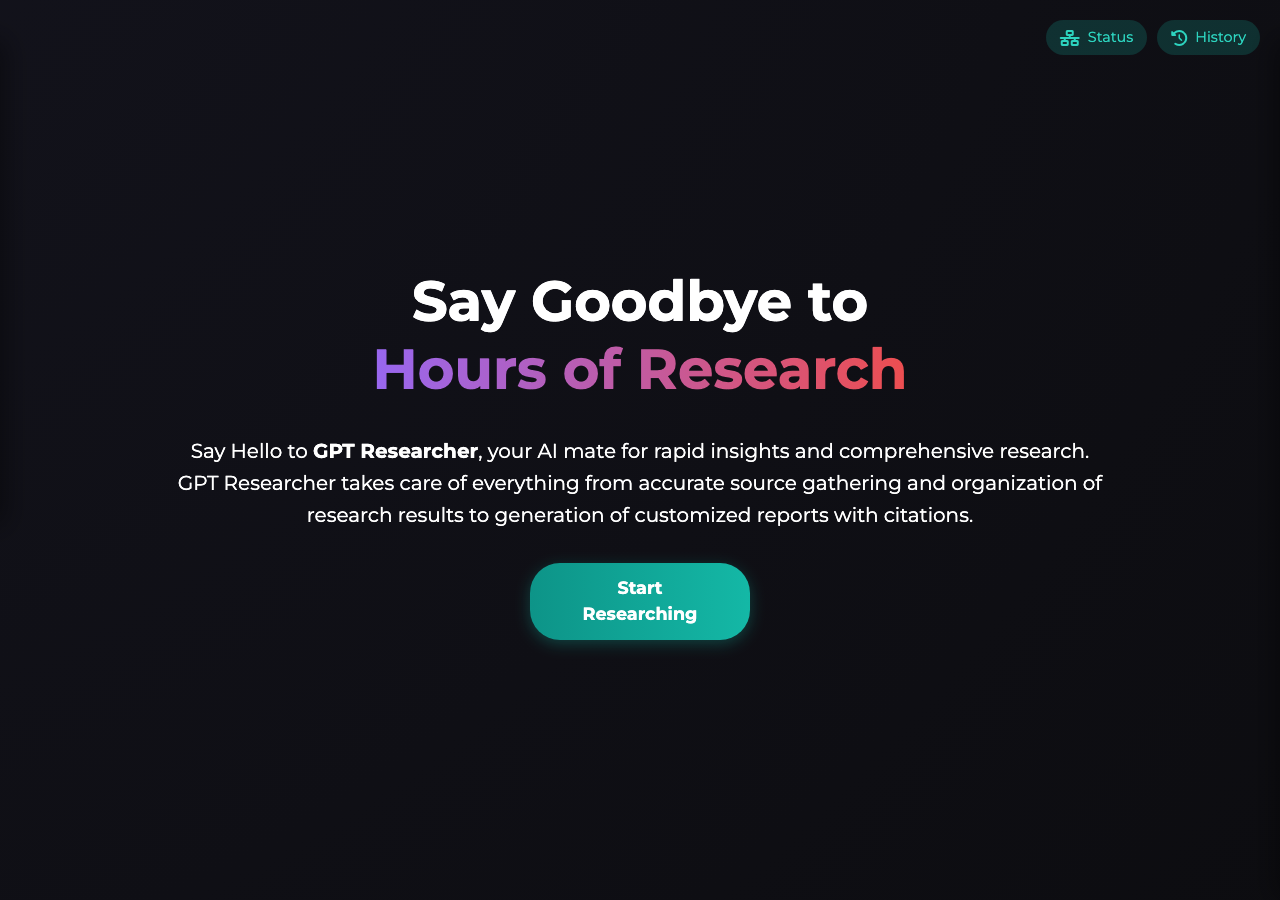
QA report: assafelovic/gpt-researcher at 6f99857
The storage status check button fails to provide UI feedback. A separate finding about the History drawer toggle's accessibility was withdrawn after a re-check.
The test run exercised primary research task execution, advanced query configurations, MCP configuration panels, API documentation endpoints, and research history controls across twelve scenarios.
One confirmed issue remains: the 'Check storage status' button is unresponsive and fails to display any status update or message upon interaction.
A finding that the history panel toggle lacks semantic button roles and keyboard accessibility, leaving the drawer closed, was withdrawn after a targeted replay on the current runner image. The drawer toggle opened cleanly and the panel rendered its full set of controls, Search, Sort, Clear all history, Import, Export, and Check storage status, all reachable. The harness could not see content inside a tab panel at the time this run was tested (fixed in commit 44cdfe8), which is what produced this finding.
While the primary research generation workflows and documentation endpoints function as expected, the storage status check still gives users no feedback.
Run summary
| Metric | Count |
|---|
| Scenarios executed | 12 |
| Passed | 10 |
| Failed | 2 |
| Blocked | 0 |
| Findings raised | 2 |
| Issues after the audit | 1 |
| Withdrawn by the audit | 1 |
| Critical / high / medium / low | 0 / 0 / 1 / 0 |
Target: http://127.0.0.1:8000 · Testing level: deep_feature · Stack: python / uv (fastapi)
Issues
Medium severity
F2 · 'Check storage status' button in Research History produces no UI update or message
Severity: medium · Type: functional · Verdict: confirmed · Scenario: S10
The evidence explicitly states that triggering the button produced no response or state change in the UI, supporting the functional defect claim. The live replay was inconclusive: The replay ran out of tool calls before it reached the reported state.
Expected: The UI updates or displays a toast, modal, or status indicator showing current storage status/quota.
Actual: The button is unresponsive in the UI and displays no message or storage status update.
Steps to reproduce:
- Navigate to http://127.0.0.1:8000/
- Focus and activate the 'Check storage status' button in the Research History section
Evidence: screenshots/S10-1.png, screenshots/S10-8.png
Withdrawn findings
The Critic re-examined these claims and found the evidence did not support them. They are kept here rather than deleted.
- History panel toggle lacks interactive button role and keyboard accessibility, preventing interaction with history actions (S9, high): I confirmed that the 'History' toggle in the sidebar is rendered as a generic, non-interactive element lacking a semantic role (it does not receive an accessibility ref). Furthermore, attempting to click the 'Clear all history' button fails because it is hidden off-screen inside the closed drawer, confirming the reported issue. Hand re-check, 2026-09-27: replayed on the current runner image (commit 6f998577), the History drawer toggle opened cleanly and the panel rendered its full set of controls, Search, Sort, Clear all history, Import, Export, and Check storage status, all reachable. The harness could not see content inside a tab panel (fixed 44cdfe8), which is what produced this finding originally.
Scenario results
| Scenario | Priority | Result | Issues |
|---|
| S1 Main application load and element integrity | high | pass | none |
| S2 Submit research task with empty query | high | pass | none |
| S3 Primary flow - Initiate basic research task | high | pass | none |
| S4 Advanced research configuration submission | high | pass | none |
| S5 Toggle MCP Configuration and view information | medium | pass | none |
| S6 Expand Research Progress and Report panels | medium | pass | none |
| S7 Toggle History Panel visibility | medium | pass | none |
| S8 Sort research history items | medium | pass | none |
| S9 Clear all research history | medium | fail | none |
| S10 Check storage status | low | fail | F2 |
| S11 Access Swagger UI documentation | low | pass | none |
| S12 Access ReDoc documentation | low | pass | none |
The audit
The Critic reviewed 2 findings and re-verified 2 of them live in the browser, replaying the reported steps on a fresh page.
- Scenarios S8 and S10 apparently interacted with history panel controls while the panel remained closed and off-screen, indicating forced interactions by the driver.
- Scenario S7 was intended to toggle the history panel's visibility but only verified its initially closed state without actually opening it.
- Hand correction, 2026-09-27: F1 was re-checked with a targeted Docker replay on the current image after the tab-panel snapshot fix (44cdfe8) and withdrawn. The History drawer opens and its controls render correctly, the original claim does not reproduce. F2 was not part of this re-check and is unchanged.
What to fix first
- Add proper visual feedback and state handling to the 'Check storage status' button so users receive storage information upon interaction (F2).
Coverage and caveats
In scope: Research task configuration and submission via the main SPA; Form validation for research queries; Model Context Protocol (MCP) configuration toggles; Research history management (sort, clear, sidebar toggles); API documentation routes.
Not covered: WebSocket message inspection; External LLM API execution and validation; File system assertions for exported history.
- WebSocket progress updates and backend errors surface in the UI via the Expand Research Progress button, making them observable even if backend fails due to missing external API keys.
- Without API keys, submitting a research task will eventually gracefully surface an error or empty state in the UI rather than crashing.
- File system exports cannot be natively asserted by the browser Tester, so we rely on verifying the UI triggers the correct actions.
- Testing WebSocket internals directly is out of scope; validation relies entirely on DOM updates.
By the numbers
| Metric | Value |
|---|
| Scenarios | 10 passed, 2 failed, 0 blocked of 12 (34 planned steps) |
| Browser actions | 174 (28 clicks, 36 inputs, 24 navigations, 86 snapshots) |
| Screenshots | 36 (4 explore, 29 scenario, 3 critic), 29 captioned |
| Coverage | 3 pages, 2 forms, 3 flows, 0 console errors |
| Audit | 2 findings, 2 re-verified live, 1 confirmed, 0 promoted, 1 withdrawn |
| Model calls | 155 |
| Tokens | 840,088 input, 8,762 output, 23,023 thinking |
| Time | 11 min |
| Stage | Calls | Input | Output | Thinking | Seconds |
|---|
| explore | 22 | 140,335 | 2,201 | 1,605 | 91 |
| plan | 1 | 3,826 | 2,015 | 3,530 | 45 |
| test | 119 | 647,327 | 3,693 | 10,936 | 436 |
| critique | 12 | 46,950 | 601 | 6,426 | 108 |
| report | 1 | 1,650 | 252 | 526 | 7 |